Kiki Halbert Designs

Monday, March 21, 2011

A freebie from "That's me"

This is a very special week on Kiki's blog.  The CT has decided to salute Kiki this week since she is designer of the month at Scrapbook Elements.   This week we will be featuring some kits from SBE and freebies to go along with them.  We hope you will enjoy this special and remember to check out her store, because she will have 20 selected kits on sale, so you don't want to miss out.

Today, I will be highlighting "That's me"  I love this kit with its rich colors and the word art tags are great!!!


This is what the frame looks like


Here is my quick layout using the frame. 


Sunday, March 20, 2011

Kiki is Designer of the Month

Did you know that Kiki is Designer of the Month at Scrapbook Elements?  We are all so excited for her and she is pleased to be able to showcase her items.  This week is dedicated to Kiki's kits at SBE.  Be sure to check back to see the great freebies the CT has for you!!!

Saturday, March 19, 2011

Layouts without Pictures

Let's face it. We have phone camera, purse cameras, hd video cameras and dSLRs, but we still don't get photos of all the moments we want to remember. I can't count how many times I've said "I wish I had my camera with me" or "I wish I had a better camera with me". What I should have done was come home and created a layout to capture my memories even without a photo. But did I do that? No. :O(  So, I know there are already great times lost to my memory. And that makes me sad.

And that brings me to the point of this post. Scrapping without photos. I've seen more and more layouts without photos and I'm glad. Just because we don't have photos does not mean the moment wasn't important. A picture may be worth a thousand words, but that doesn't mean we can't use a few words to convey the importance of a person or event for us.

That is exactly what I did in my layout "Besties". This is about one of my best friends in elementary school. I don't believe I have any photos of her or of us. But I still want to create a layout about our friendship, because it was such an important friendship when I was in the 1st and 2nd grade.

Here's my layout about Tracy using That's Me from Kiki Halbert Designs.


I love this kit that I used to create my layout. It's feminine without having too many pastels. And that is right up my alley. And because Kiki is currently Designer of The Month at Scrapbook Elements, you can pick up That's Me for 30% off.


Does "That's Me" not meet your needs right now? Well, if you head over to the Designer of the Month section at Scrapbook Elements, you will find several kits from Kiki Halbert on sale for 30% off. Don't miss this chance to pick up some great kits at a discount.

Wednesday, March 16, 2011

A freebie and more....

I recently did a freebie with Kiki's colab kit "Sunshine, Lollipops and Rainbows". Go to Funky Playground to grab this one. I did a freebie cluster frame and decided to add it to a layout so you could see just how it looked. I then got the idea to alter the background a bit to use the frame again. By playing with your papers, you can achieve a whole new look. Here is the frame:


Here is the frame with my picture:

This is the first layout I did..fairly clean and simple. Two papers and journaling with the frame added. So easy!!!!:


This time i added a few more papers. If you want to experiement, paper is the way to go. this kit is perfect for Mardi Gras and Spring!!!


Now I guess you want the freebie frame...


Wednesday, March 09, 2011

Tomato & Egg Stirfry Recipe

I'm back with another easy recipe when you are looking for something quick to make after work.  Cause after working all day, a two-hour prep meal just doesn't sound like a fun idea.  This week, I am sharing Tomato and Egg Stirfry.
SERVES 4

* 3 eggs, beaten (not egg substitute)
* 1 large tomato, rinsed and diced (fresh tomatoes, not canned)
* 1 large green onion, rinsed and chopped

1. Take a pan (or wok) and put it on medium high heat to dry water off of it, if there is any; If not, let the pan heat up a bit and put some oil in the pan so there is just enough to cover the bottom of the pan (about 2 1/2 - 4 tablespoons of oil).
2. Wait about 3-4 minutes, put the CHOPPED green onions in the hot oil (if you put the onions in and the oil doesn't sizzle or sizzles very little, wait until the oil sizzles before stir frying) and stir fry just until its aroma permeates the air.
3. Quickly pour the eggs into the pan in a circle, so that it is spread out in the pan.
4. Allow the eggs to cook for 1-2 minute and then stir fry until the eggs are well done; Try to cut the eggs into small pieces with the spatula as you stir fry.
5. Put the tomatoes in the pan and stir fry for 1-2 minutes.
6. Put a few dashes of salt into the pan and stir fry again until the juice comes out of the tomatoes.
7. Taste a small piece of egg to see if it is salty enough; If not add more salt; The amount of salt varies by taste and size of tomatoes and eggs; The dish will taste better with slightly more salt than what your accustomed to if you're eating this with white rice.
8. Serve immediately, preferably with rice.
As usual, I have two recipe cards.  One is 8x8 and the other is 4x6.  I have to admit that I really like the way these cards turned out.


The recipe cards, as well as the preview, were created using Lollipops, Sunshine and Rainbows from Recherche by KH Designs and Jennilyn Designs.  This is such a bright, happy kit.  Perfect for all those summer photos that are just around the corner.


I hope you enjoy the recipe cards.  This really is a fast, yummy recipe for an easy weekday supper.

Monday, March 07, 2011

Layouts from Kiki's "To the Moon"

I looked through the gallery at Scrapbook Elements to see what lovely layouts had been created from Kiki's latest kit "To the Moon and Back"...there is so much talent and so many ways to use this kit!


I really like this layout for its simplicity.  Don't be afraid to use "white space" in a layout.  You can make it look very good and it also makes for very quick layouts!

Here scrapmemories made a very simple by meaningful layout with background paper, a cluster frame and some ribbon.  This kit is very versatile and you can use it in so many ways.  I would love to see how you used the kit and feature it here on Kiki's blog!

Friday, March 04, 2011

Kiki's Damask Romance kit + a freebie!!!

Hi everyone.  Sharon here with one of Kiki's wonderful older kits and a freebie I did.  Damask Romance is a gorgeous kit for your heritage pictures or honestly, any other romantic picture would be perfect.  I just love this kit and after you play with it, you will too.  This kit has wonderful a vintage damask style that you will use time and time again.  I created a freebie for this and created the layout using an additional journaling tag in just minutes. 

Here is the kit available at Scrapbook Elements

Here is my layout...oh so easy!!


Here is the freebie...


I would love it if you would leave a comment and if you do a layout, I would love to see it.  Add it to the gallery at Scrapbook Elements and I will be on the look out!! Thanks!!

Thursday, March 03, 2011

Tease and a freebie..

Love freebies...yeah, you know it..admit it..I do too!  I have a freebie for you, but you need to come back tomorrow.  It will be worth the wait!   Lately I have been looking for any old pictures I could...I was really trying to connect with my past a bit, my parents, inlaws and my grandparents that I never knew.  I really missed not having grandparents and I need a way to come alive.  I am always on the lookout for beautiful vintage, romantic kits and Damask Romance is an awesome kit that Kiki released a while back that I decided to play with. It was perfect!!  Here is a little sneak of what you will get if you come back tomorrow. 

Don't forget.  Come back tomorrow...you can download the freebie and see a quick layout I did!!

Thanks!! Sharon

Tuesday, March 01, 2011

Why Journal?

Lets talk for a little bit about journaling.  I know, it can be the hardest part of the layout for some people.  (Me included.)  Most of us haven't taken a creative writing class and we think our journaling is boring (at least I do).  But it can also be the most important part of the layout.

Let's face it.  None of us will be around forever.  And even if we somehow managed to pull that off, it might be that our memories won't be as good as we like.  Without journaling, your future posterity will think "wow, this is a pretty layout".  With journaling, they'll get to know more about you and your family.  And as a person who is very interested in family history, let me assure you that they will appreciate it.

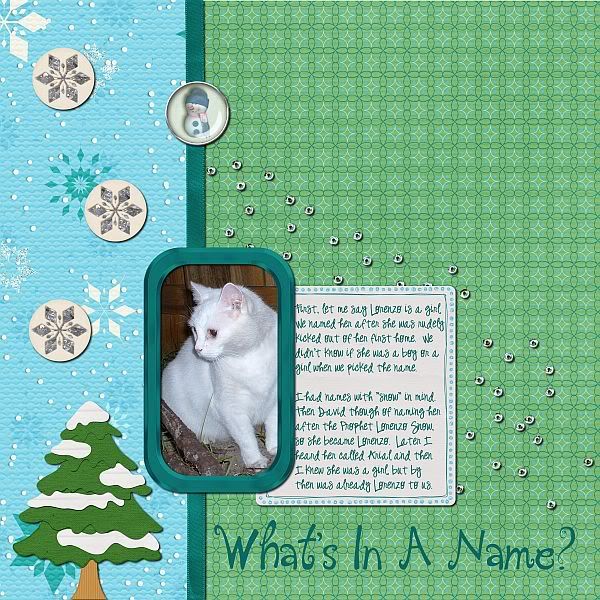
Let's take a look at a layout I recently did with Winter Frolic from Recherche by KH Designs and Valarie Ostrom.  This first version is without journaling.


Without journaling, you can assume my cat's name is Lorenzo.  And you can see that Lorenzo is a pretty cat.  But you don't know much more.  But you deserve to know more because there is a story behind that name.


You don't have to write a small book for your journaling to be useful. As you can see I only wrote a couple of small paragraphs.  Here is how the journaling reads.
First, let me say Lorenzo is a girl.
We named her after she was rudely
kicked out of her first home.  We
didn't know if she was a boy or a
girl when we picked the name.

I had names with "snow" in mind.
Then David though of naming her
after the Prophet Lorenzo Snow,
so she became Lorenzo.  Later I
heard her called Arial and then
I knew she was a girl, but by
then was already Lorenzo to us.
The journaling isn't very long.  Only two short paragraphs.  But now you know that Lorenzo is a girl (something you never would have guessed from the layout without journaling).  You know that we are her second her home.  And you know how we picked the name Lorenzo.  You can convey a lot with just a few words.

You don't even need to write complete paragraphs to convey your message.  Here's a layout I created using Girl You R A Dreamer from Kiki Halbert Designs.


With this layout, I use short phrases to tell you just a little bit about what I enjoy doing most.  No actual paragraphs required.

I hope I've convinced you to include journaling on your next layout.  In the future, you will be glad you did.

Before I let you go, let me show you the two kits I used to make these layouts as they are both great kits and I highly recommend you check them out.

Winter Frolic, which I used for What's In A Name, is available in Recherche by KH Designs store at FunkyPlayground Designs.


For Just Being Me, I used Girl You R A Dreamer from Kiki Halbert Designs.  You can find this kit in her store at Scrapbook Elements.


I hope everyone has a great week and finds time to sneak in a layout or two (with some journaling).

Sunday, February 27, 2011

Using elements to your advantage in a layout

Today was a lazy day for me so I decided to spend some quality time with one of Kiki's kits.  I worked with Kiki's To the Moon and Back kit (available at Scrapbook Elements), which is one of my faves.  With its deep rich colors with a touch of glitter, it is elegant and fun!

I love using elements in my layouts...and you can create really cool things with elements. I also love to use glitter or paint splats.  This kit has one and I decided to use it to "frame" my photo.  It really came out  pretty cool!!  All I did was duplicate the layer several times and just moved it around create it.  For the picture shadowing, I added an inner and outer glow from PSE (noisy).  This is the splatter from the kit.


Here is my layout:

I would love to see what do with this kit, so I will be checking out the galleries!  Thanks for stopping by.
Sharon

Friday, February 25, 2011

Creating a Frame Using Stroke Selection

If you are anything like me, you have the hardest time finding the perfect frame for your photo.  Even kits with great frames, don't always have a frame in the right dimensions for the photo you are using.  Today, I am going to show you how you can use Stroke Selection in both Gimp and PSE 7 to create a frame for your photo.

In both programs, the first thing you need to do is add a transparent layer above the photo that needs a frame.  To do this in Gimp, go to the Layer menu, choose New Layer and then choose Transparency.  In PSE 7, go to the Layer menu, choose New and then press Okay.

Next, you need to select the shape of the frame.  Now the method for doing this in Gimp is very different from in PSE 7.  In Gimp, make the photo your active layers and then while still in the layers dock right-click on the photo and choose Alpha to Selection.  In PSE, you will keep the new transparent layers as the active layer, press the Control key and then left-click on the photo.

Now, make sure your foreground color is the color you wish for the frame to be this will make your life much easier.  Once you have the desired color chosen you will follow very similar steps for both Gimp and PSE 7.  In Gimp, you will go to the Edit menu and choose Stroke selection.  Choosing a stroke size of 25 pixels gives you a fairly thin frame.  Going higher than 25 will increase the thickness of the frame.  Now click okay and your frame will be created.  For PSE 7, you will follow the same steps.

In both programs, you could begin playing with Layer Styles (PSE 7) or Filters (Gimp) to enhance the frame.  But you can stop right here and you will have created a simple frame for your photo.

Here's my layout using Bright Skies Ahead from Recherche by KH Designs.  The frame around my photo was created following the exact steps I just gave you.


Be sure you stop by FunkyPlaygroundDesigns and take a look at Bright Skies Ahead.  This kit is perfect for all those photos you will be taking once Spring arrives.


If you have any questions regarding the tutorial, please leave them in the comments and I will do my best to answer them.  Hope everyone has a wonderful weekend. And don't forget to take some photos.

Thursday, February 24, 2011

Featured Layout

Subscribe to the Scrapbook-Elements newsletter HERE!
I'm thrilled to have had my layout featured this week!

I used Kiki's To the Moon and Back by Kiki Halbert, available at Scrapbook-Elements and a freebie I offered on this blog on Valentine's Day!

As Ever,
CT Pam

Wednesday, February 23, 2011

Muddie Buddies

This is a great dessert for the holidays or any time of the year.  It is especially easy if you need to make a treat for your child's class.  It is quick and easy and everyone loves this.  I used Kiki's colab kit Winter Frolic (with Valerie Ostrom) which is available at Funky Playground.  Pick this kit up and make this recipe.  Your kids will love it.

Sharon

Thursday, February 17, 2011

A freebie from "To the Moon and Back"

Hi, I have a freebie for you from "To The Moon and Back". I love this kit.
So head on over to Scrabook Elements and pick this up, snag my freebie and
create!!


Photobucket

Here is the freebie link: box.net

Wednesday, February 16, 2011

Citrus Salad

This is truly one of the best salads I have ever had.  And my husband was in love with it.  Definitely worth your time to put together.  Here is the recipe.

Salad

    * 2 cups salad greens
    * 1 can bean salad (drained)
    * 2 cucumbers peeled and sliced
    * 4 oranges peeled and sectioned or 1 cup canned oranges (drained)
    * 1 cup fresh pineapple (canned pineapple can be used (drained))
    * 1/4 cup citrus salad dressing
    * 2 tablespoons (minimum) raisins or dried cranberries or dried cherries
    * 2 tablespoons (minimum) chopped nuts (any kind)

    1. In a bowl, mix salad greens, fruit and vegetables.
    2. Spoon dressing (below) over and mix gently.
    3. Top with raisins and nuts.

Dressing

    * 1 cup nonfat lemon yogurt
    * 4 tablespoons oranges juice
    * 6 tablespoons white vinegar

    1. Mix all ingredients until smooth
    2. Store in refrigerator

And I have created recipe cards for you.  These cards were created using Dans Un Jardin from Recherche by KH Designs.


The file contains 8x8 and 4x6 cards, so that you will be able to print the size you need.

I hope you enjoy the recipe.  And don't forget to save some time for scrapping!

Monday, February 14, 2011

Happy Valentine's Day

Have a super day; may you receive chocolate, flowers, and love! Here's a little cluster to embellish one of your layouts, hope you enjoy it! It is is from Kiki's To the Moon and Back by Kiki Halbert, available at Scrapbook-Elements.


CT Pam

Thursday, February 10, 2011

To The Moon and Back Quickpage

I am back with a quickpage freebie for you. It is based on this layout I created with To The Moon and Back from Kiki Halbert Designs.


If you haven't taken a moment to check out Kiki Halbert's latest release, To The Moon and Back, I highly recommend you do so. It is a gorgeous kit.


Now without further delay, here is the quickpage I've created. I hope you like it.


The weekend will be upon us soon. Hope you have a great weekend and have some fun scrapping.

Sunday, February 06, 2011

A little treat for you, my friends and fans!

Hi everyone. Well I have to say that I am so excited about my latest kit released today at Scrapbook-Elements.com!

I decided that I'd make a little coordinating treat for you that will help you get started scrapping that special relationship you have.

I've called this a Tempting Starter template and if you like it, let me know in the comments, and if there's enough interest, I'll post a Tempting Starter pack very soon for you to enjoy! Just click the button below to tweet about this or post it in Facebook and you'll get your download link.


Have a great Super Bowl Sunday folks!

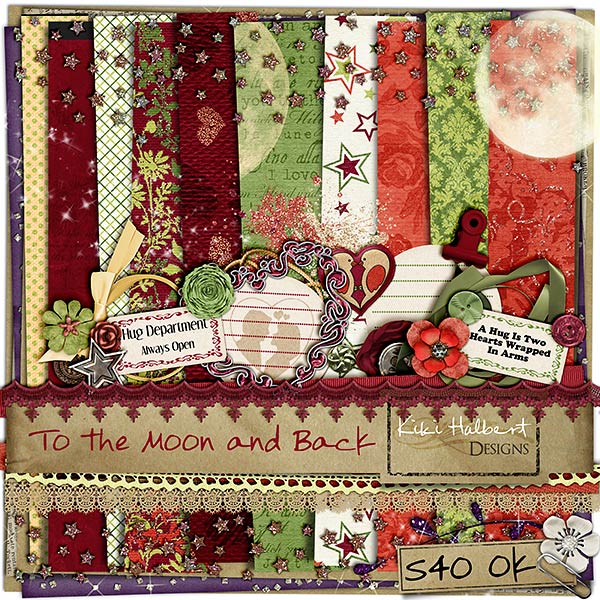
To the Moon and back is here!!!!

It's here!!! Yay!!! Happy Dance.  To the Moon and Back is a gorgeous kit and it is available at Scrapbook-Elements.  She added papers with just a bit of glitter to make them really pop.  There are some really cute elements and word tags!!  I think this is one of her best kits yet, but I probably say that about all of them, but this one is special!! 


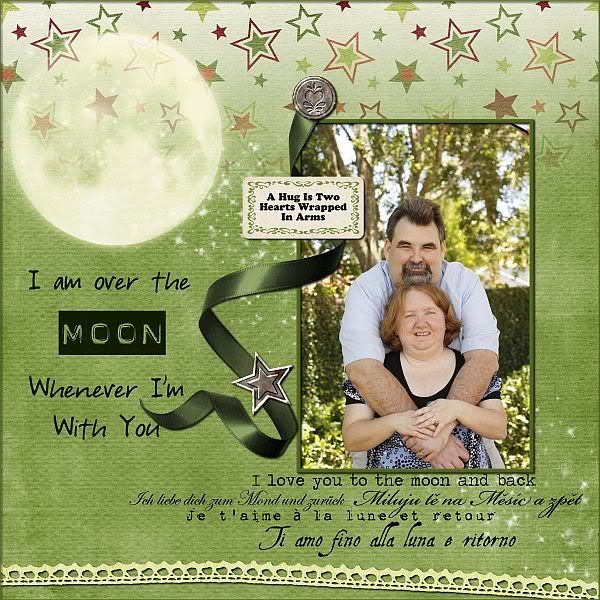
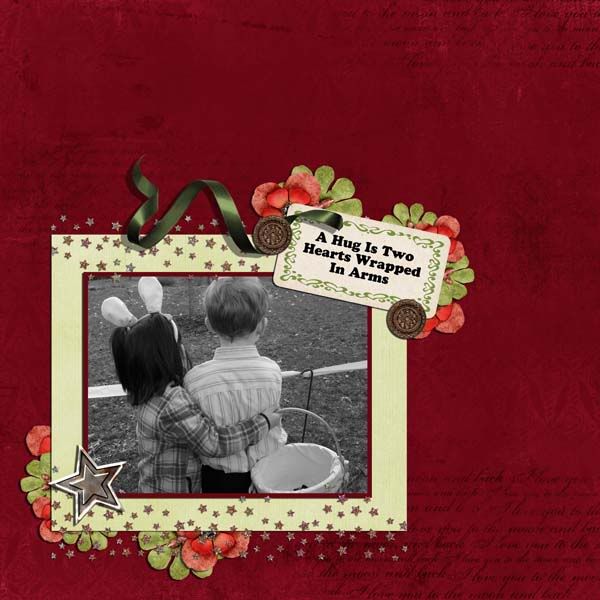
Here are some layouts from the Creative Team:

Don't forget to check back next week and there will be a freebie for you to grab!!!

Saturday, February 05, 2011

Sneak Peak!!!!

Time for another sneak peak!!!  Kiki has been very busy and she has a new kit coming to Scrapbook Elements on February 6  that is just for your valentines and love pictures.  Expect some glitter and lots of great elements with a rich color palette perfect for valentines, love and all your pictures.

This kit will be avialable on February 6 and you are going to want this one!!!


Now that you've seen it, aren't you in love......
Check back tomorrow for the debut of this gorgeous kit.
Also, check back next week because we will have a freebie!!

Friday, February 04, 2011

Winter Frolic-Now available at FPD!!!

Winter Frolic, Recherché by KH Designs new collaboration kit with Valerie Ostrom is now available at The Funky Playground.  This is a fun kit perfect for all your snow pictures and I know there are plenty of people out there what have had plenty of snow!!

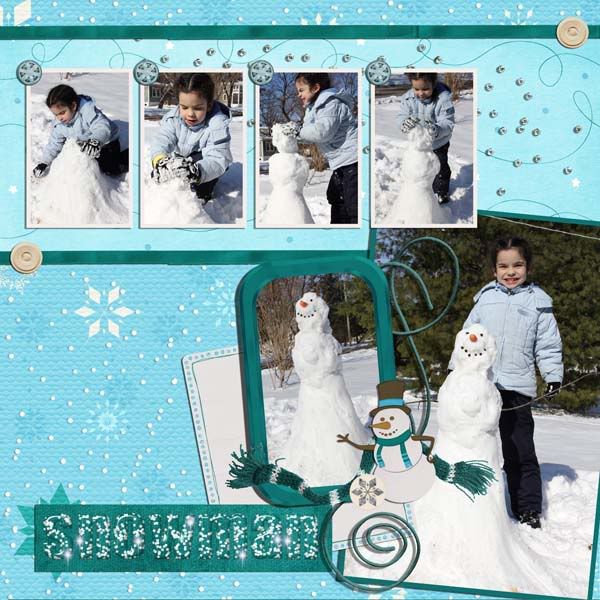
 Here are some layouts from the CT:

Thursday, February 03, 2011

Winter Frolic Sneak Peak!!

Are you ready???  Got snow????   Kiki has a new kit out and she has collaberated with Valerie Ostrom at Funky Playground called Winter Frolic.  There are lot of great elements with a different color palette that will go perfect with your winter pictures!! 
Check it out. It will be available on Feb. 4 and I know you want it!!!

ShareThis